
Product
A native bookmark manager for Mac
StowLink is a native macOS app for saving, organizing, and finding the links you want to keep. It lives on your Mac, does not need a StowLink account, and uses a one-time license. A free iPhone companion is available on the App Store.
Save links from anywhere
Copy a URL, then save it without filling out a form. If StowLink is open, press ⌘V. If the window is closed, hold Command and double-tap Shift. The capture stays out of the way so you can file the link later.
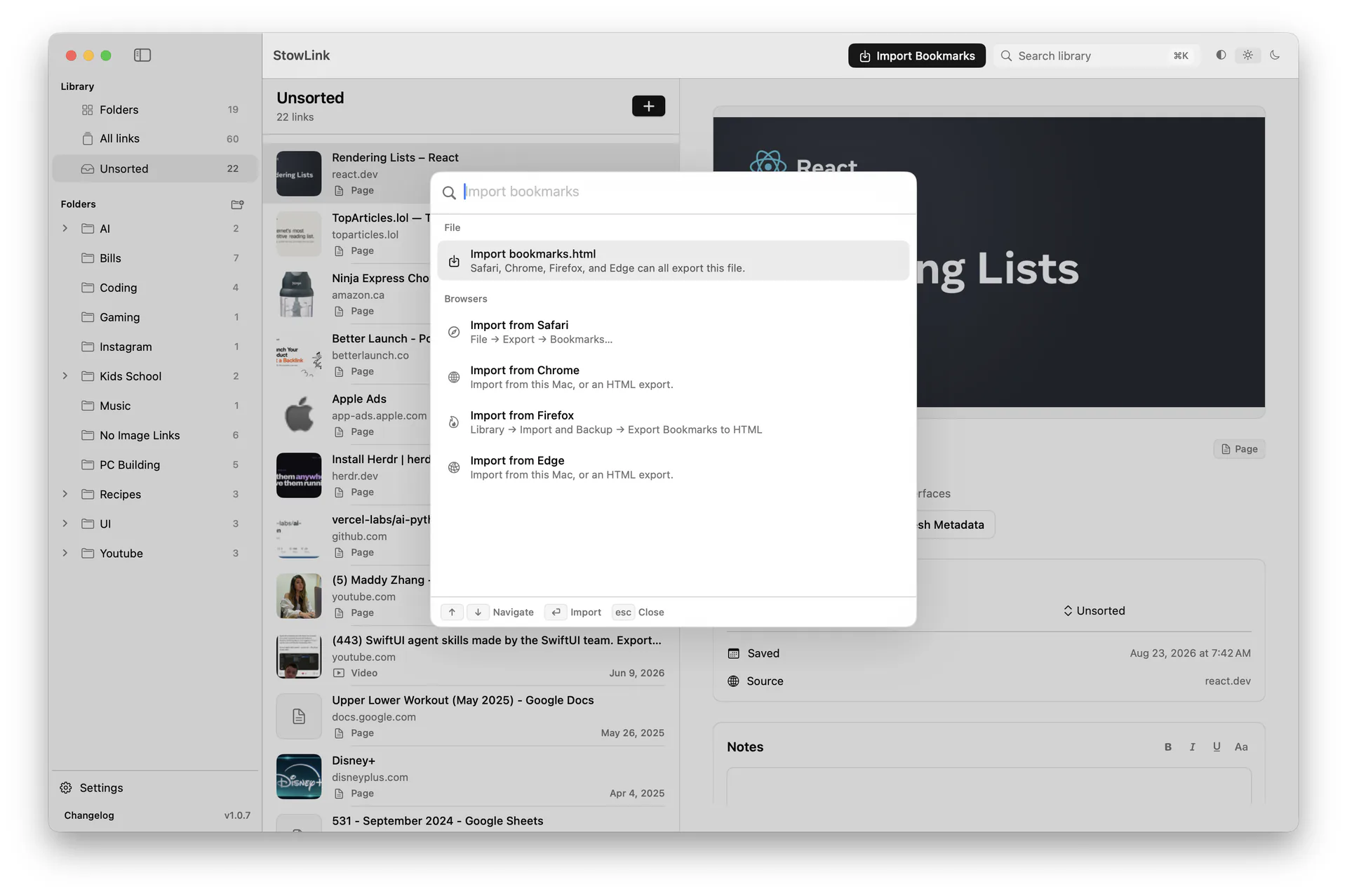
Import from Safari, Chrome, Firefox, and Edge
Bring your existing bookmarks with you. Import a bookmarks.html export, or import directly from Safari, Chrome, Firefox, or Edge on this Mac.
Organize with nested folders
Drag links into folders and subfolders. Group by project, language, client, or whatever matches how you work. Browser bookmark bars get messy once a collection grows. Nested folders give each saved link a place.
If you are already fighting a long bookmark list, why browser bookmarks are not enough anymore covers the same problem in more detail.
Find anything quickly
Search the whole library by title, URL, domain, description, or folder. You do not have to remember the exact name. Press ⌘K to jump to recent links, folders, and settings. If the window is closed, press ⌘⌥K to search and open a saved link without opening StowLink.
Rich link previews
Each saved page can show a title, description, image, and, when it is a video, a playable preview. Six months later, that context is usually more useful than a favicon and a truncated title.
Notes on saved links
Add a note for why you saved something, what project it belongs to, or what you still need to read. Notes stay with the link in your library.
Built for macOS
StowLink is a native Mac app for macOS 14 or later. Keyboard shortcuts, local performance, and the interface follow Mac conventions instead of wrapping a website.
Your library stays on your devices
Links, folders, notes, and previews are stored locally by default. There is no StowLink account, and we do not run a separate cloud database for your library. You can turn on iCloud in Settings when you want the same library on your other Macs and on iPhone. StowLink asks once before sending any anonymous usage signals; you can change that later in Settings. Read the privacy policy.
Also on iPhone
StowLink for iPhone is a free App Store app. Save from the Share Sheet in Safari and other apps, organize with nested folders, search your library, and keep notes and previews nearby. It is fully useful on its own. If you also use StowLink for Mac, enable iCloud in both apps with the same Apple Account to keep one library.